SuryaAgung — A sales portal for the field.
We built SuryaAgung's first internal sales portal — a manager dashboard, agent approval queue, and full transaction history rolled into one tool. Targets, visits, and cable stock across every region, in a single screen.
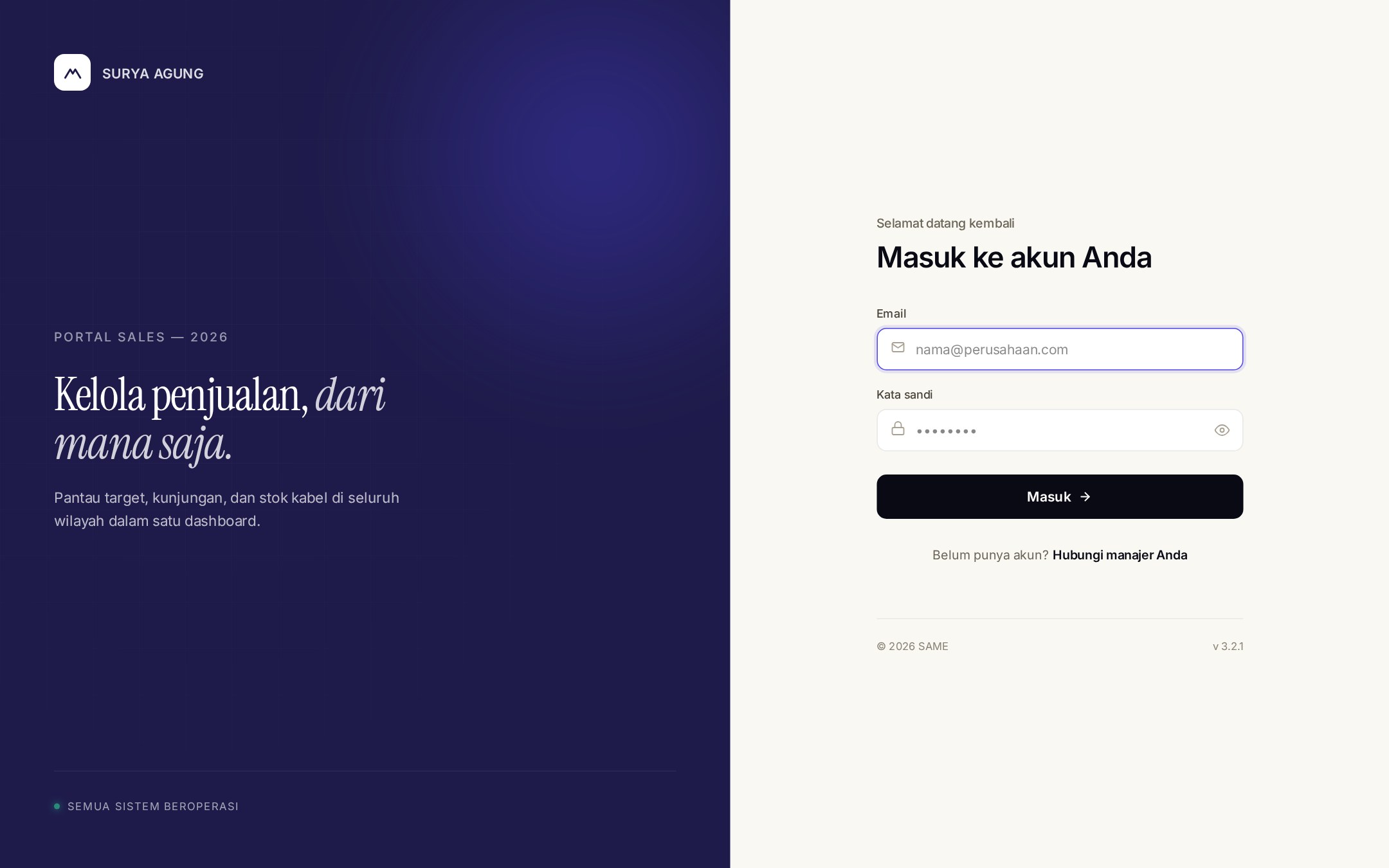
A sign-in built for the team, not the public.
Closed-loop auth — agents are issued accounts by their manager rather than self-registering. The split-screen entry doubles as brand surface, with the "Kelola penjualan, dari mana saja" promise front and centre.
A status indicator at the foot of the page ("Semua sistem beroperasi") gives field agents instant confidence the portal is live before they try to log in.
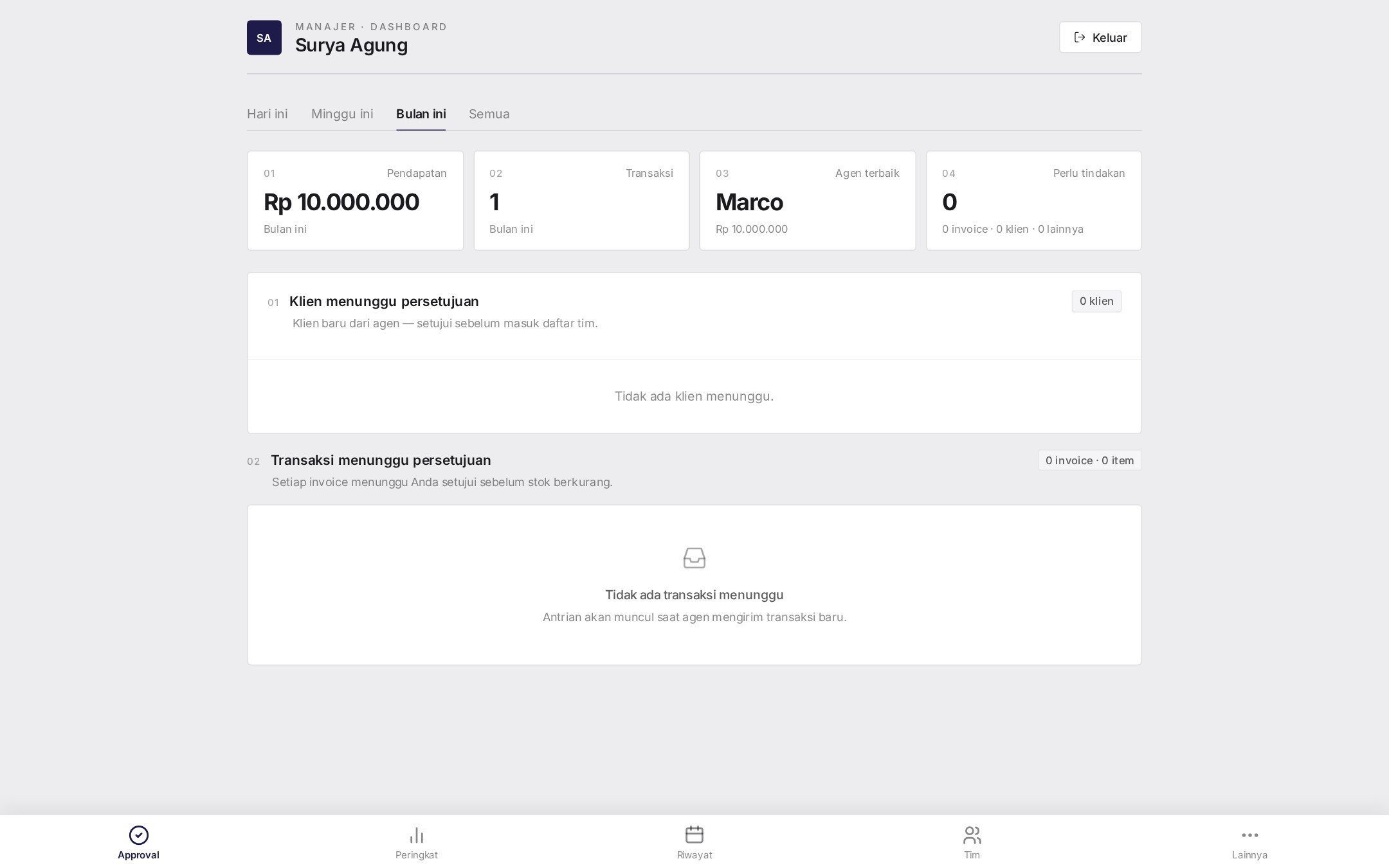
Four numbers, two queues, zero noise.
The first thing a manager sees: Pendapatan, Transaksi, Agen Terbaik, and a Perlu Tindakan alert tile. Below it, two parallel approval streams — new clients (klien menunggu) and pending transactions (transaksi menunggu) — so nothing moves through the warehouse until a manager has signed off.
Time filter at the top (Hari ini · Minggu ini · Bulan ini · Semua) flips the view between today, this week, this month, and all-time without losing place.
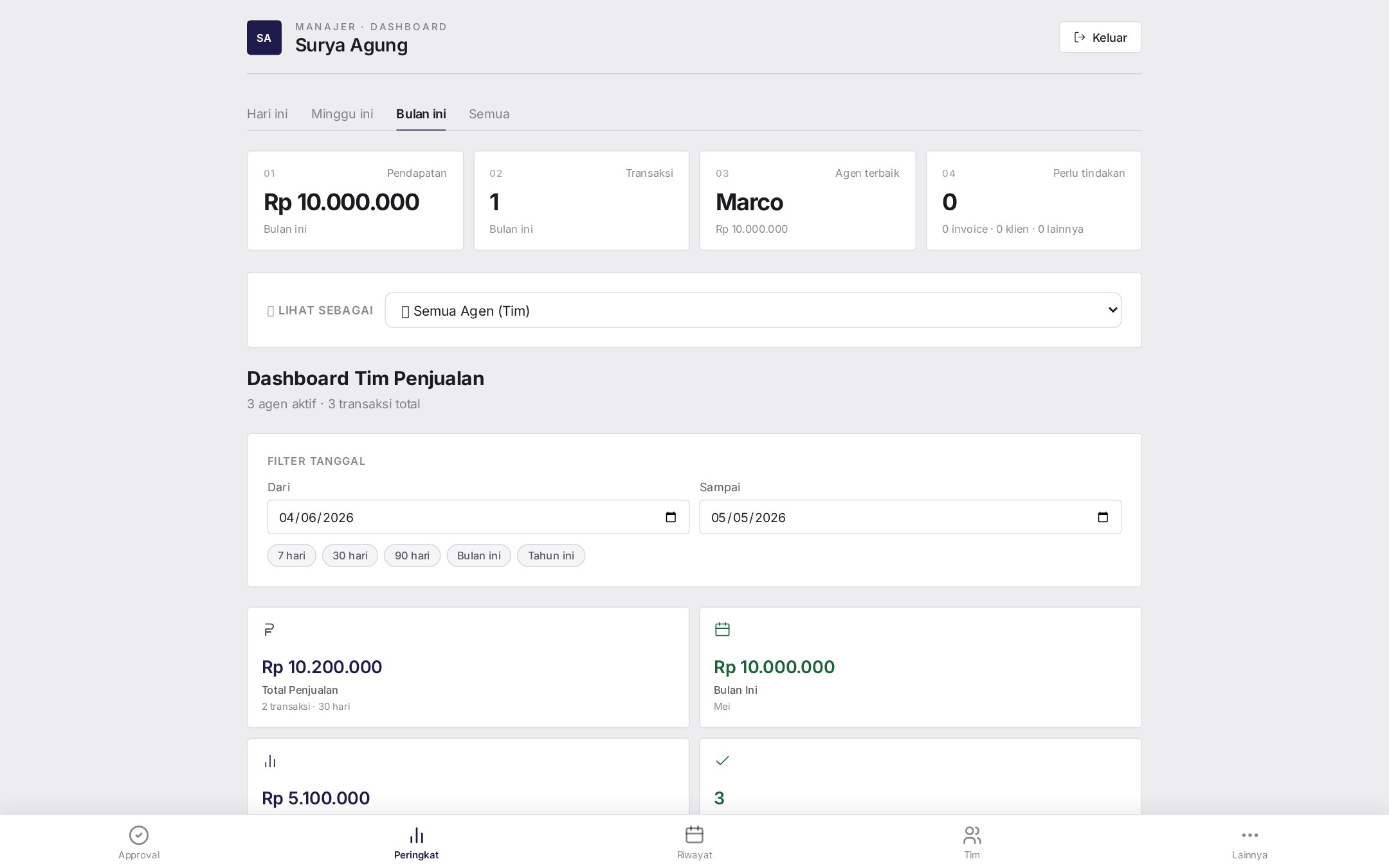
The whole team, on one screen.
Dashboard Tim Penjualan rolls every active agent into a single view — total sales, monthly revenue, average per transaction, active days — with a date-range filter and one-click presets (7 hari · 30 hari · 90 hari · Bulan ini · Tahun ini).
A Status Transaksi donut splits Selesai vs. Ditolak across the chosen window, so disputes never quietly accumulate.
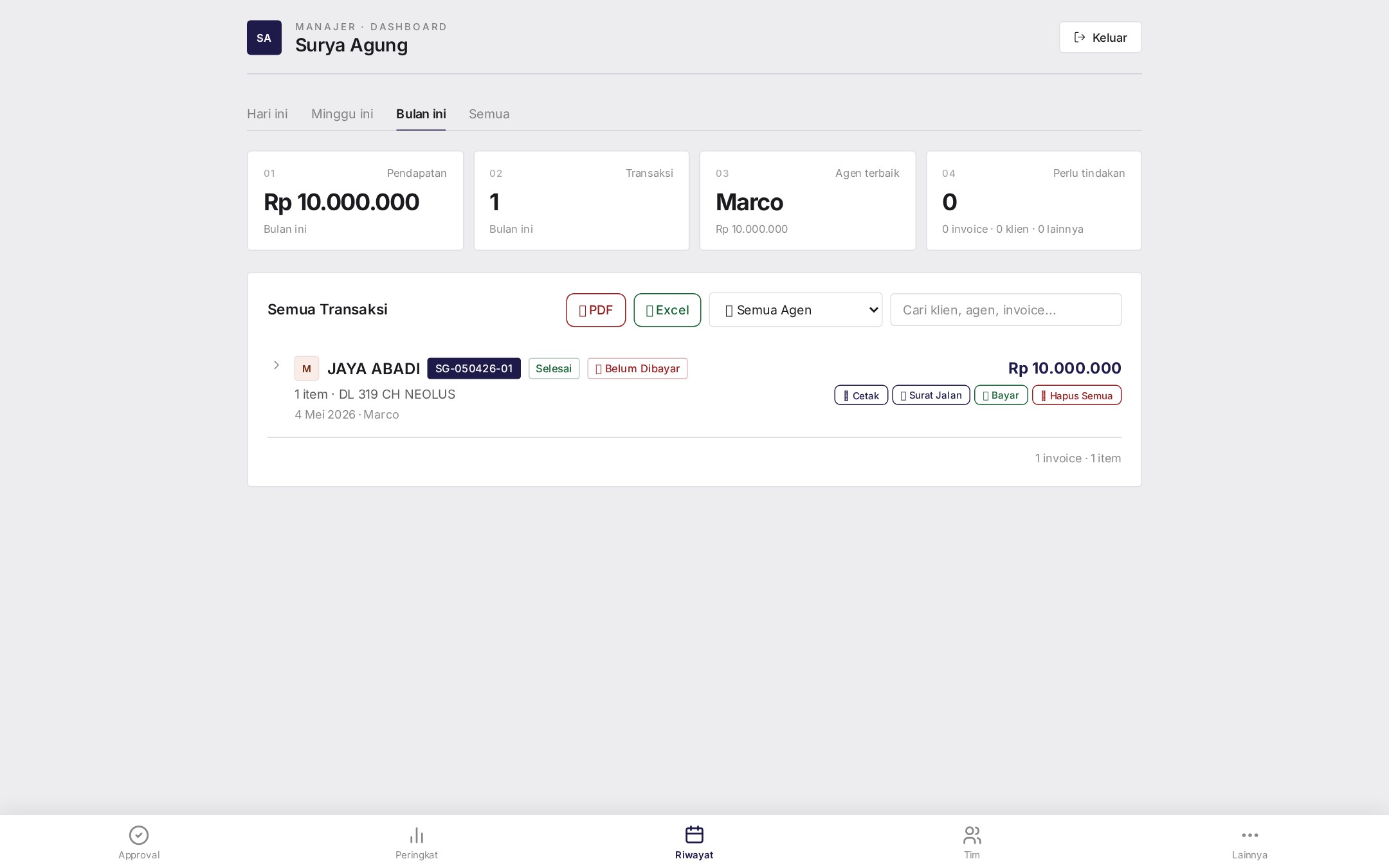
Every transaction, exportable in two clicks.
Searchable history with PDF and Excel export plus per-row actions: Cetak (print), Surat Jalan (delivery note), Bayar (mark paid), Hapus Semua (purge). An agent filter narrows by salesperson; status badges call out Selesai, Belum Dibayar, and the like at a glance.
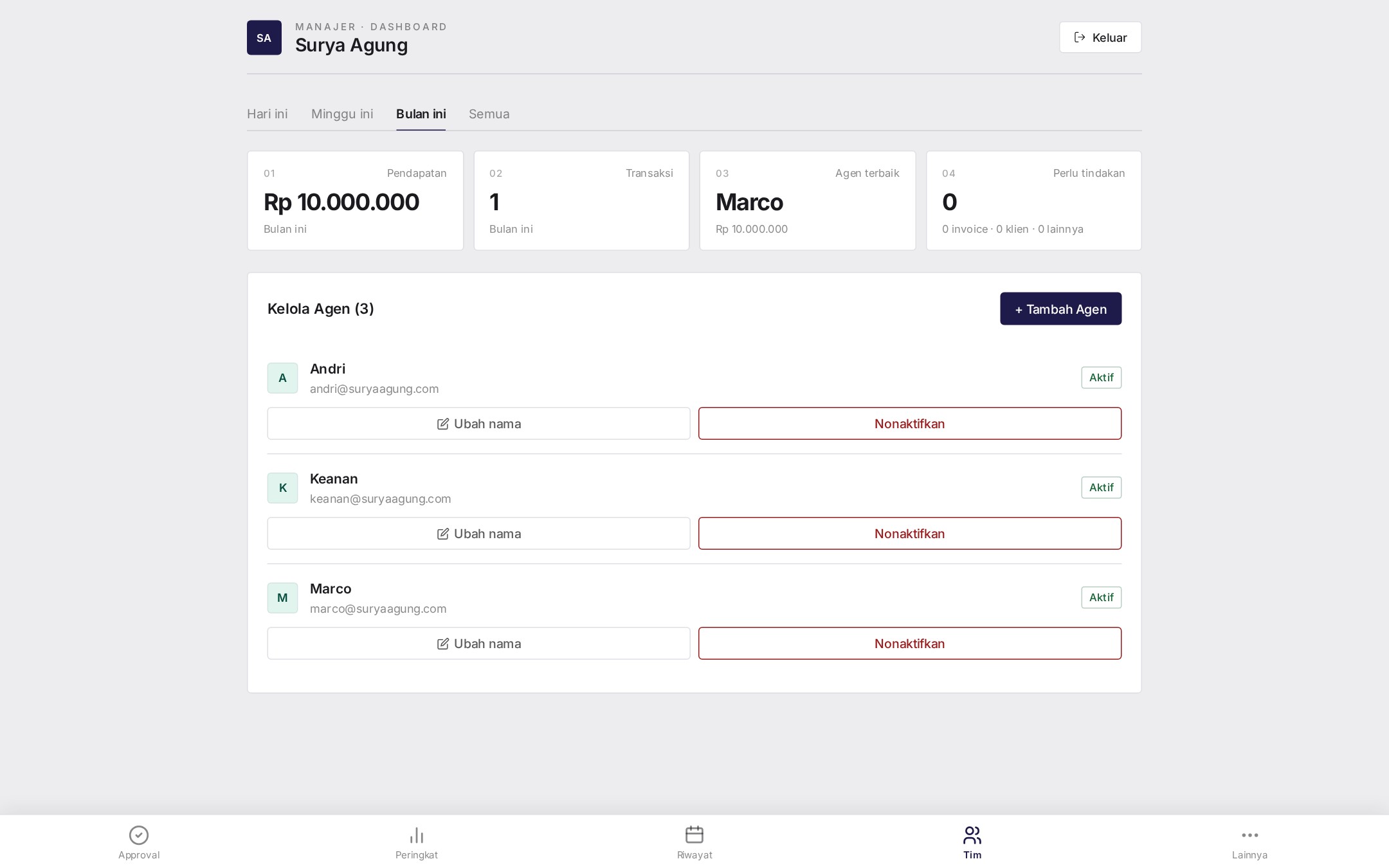
Roster the team. No IT ticket required.
Kelola Agen lets the manager add, rename, or deactivate agents in seconds — every change reflects across approval queues, rankings, and history without a deploy. Three live agents (Andri, Keanan, Marco) are managed from this one card with Aktif badges and inline rename / Nonaktifkan controls.
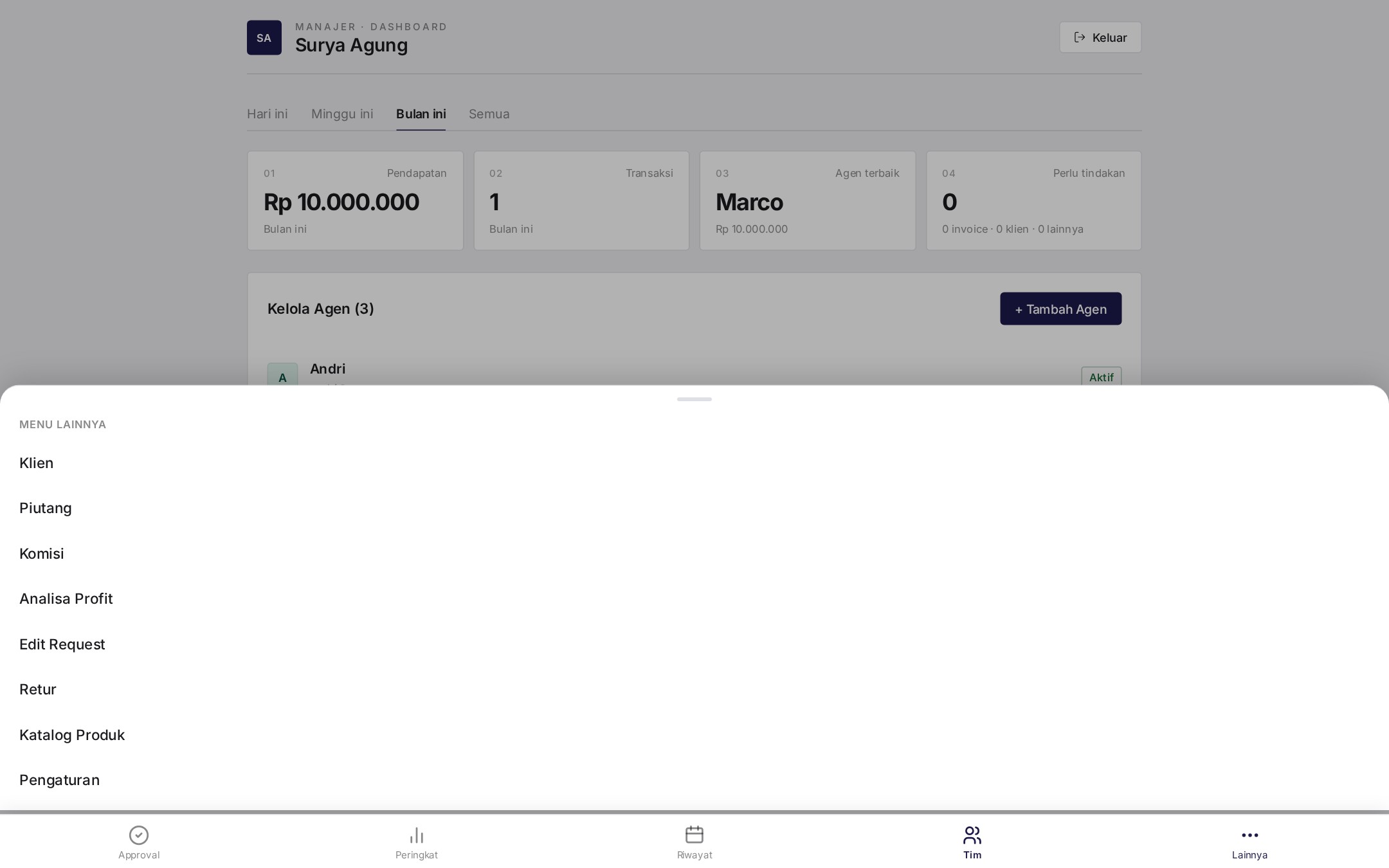
The deep cuts, one tap away.
A "Lainnya" drawer surfaces the heavier tools — Klien, Piutang, Komisi, Analisa Profit, Edit Request, Retur, Katalog Produk, Pengaturan — without cluttering the daily workflow. Built on a bottom-sheet pattern so it works just as well on tablet and mobile.
What we built.
- 001Manager DashboardPendapatan, transaksi, agen terbaik, and a "perlu tindakan" alert tile — the four numbers a manager actually looks at first.
- 002Approval QueueTwo-stream queue for new clients and pending transactions — managers approve before stock moves.
- 003Team RankingsPeringkat dashboard with date filters, totals, averages, active days, and a status-of-transactions donut.
- 004Riwayat & ExportSearchable transaction history with PDF and Excel export plus per-row actions: Cetak, Surat Jalan, Bayar, Hapus.
- 005Team ManagementManager-only "Kelola Agen" view to add, rename, or deactivate agents — no IT ticket required.
- 006Secondary ToolingA "Lainnya" drawer surfaces the deeper tools — Klien, Piutang, Komisi, Analisa Profit, Edit Request, Retur, Katalog Produk, Pengaturan.
Want a tool that fits your team?
We build internal portals like this — sized to the workflow, not the template.