TripleNine Carbon Works — Built from carbon. Forged on rails.
We replaced a stack of spreadsheets with one operations app for TripleNine's composite manufacturing line. Projects, inventory, quotes, invoices, and a live team-workload board — all glued together with role-based access for the shop floor.
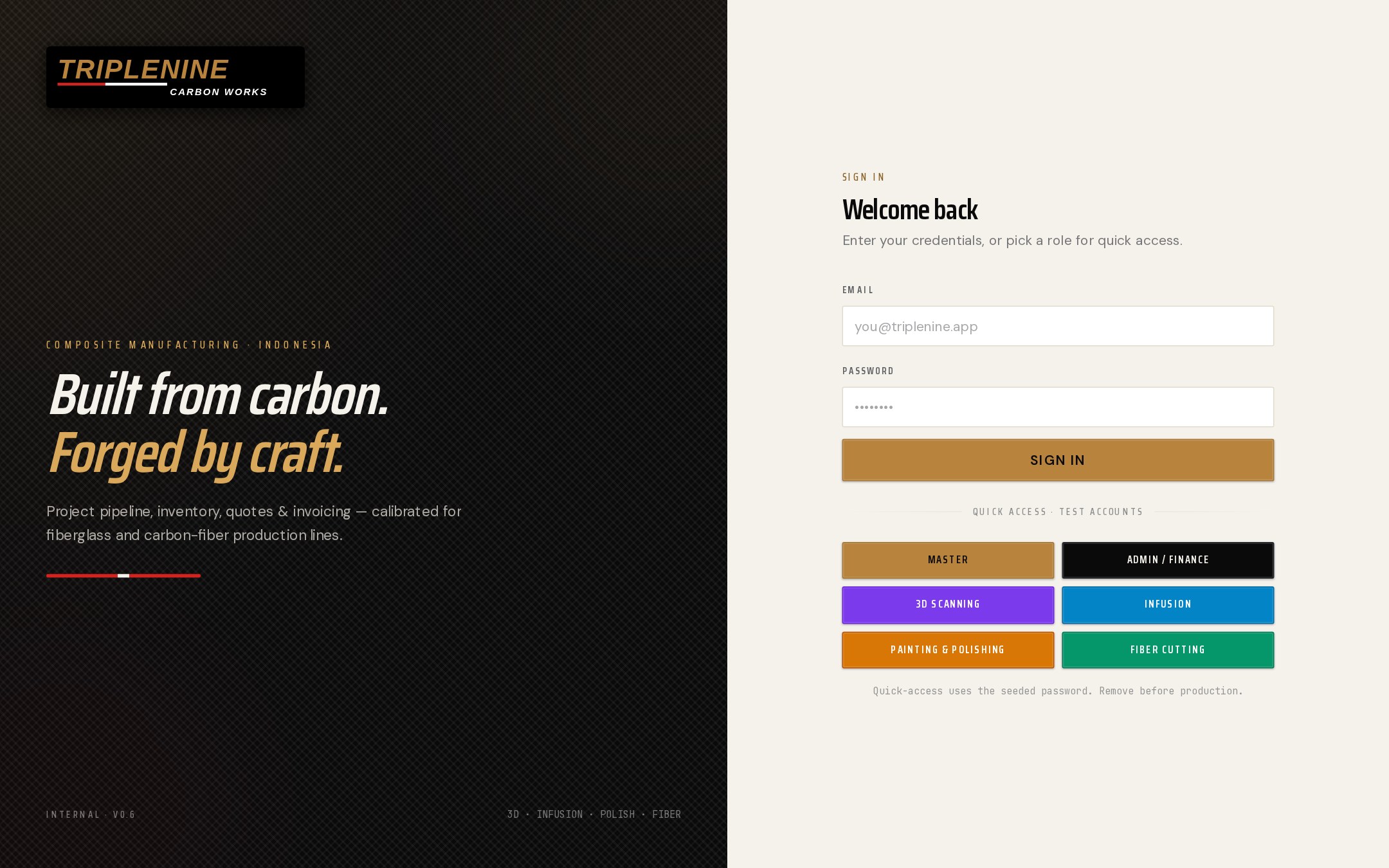
One door, six lanes.
The sign-in is also a brand surface — "Built from carbon. Forged by craft." — with a quick-access strip that sends each role straight to its own working view: Master, Admin / Finance, 3D Scanning, Infusion, Painting & Polishing, Fiber Cutting.
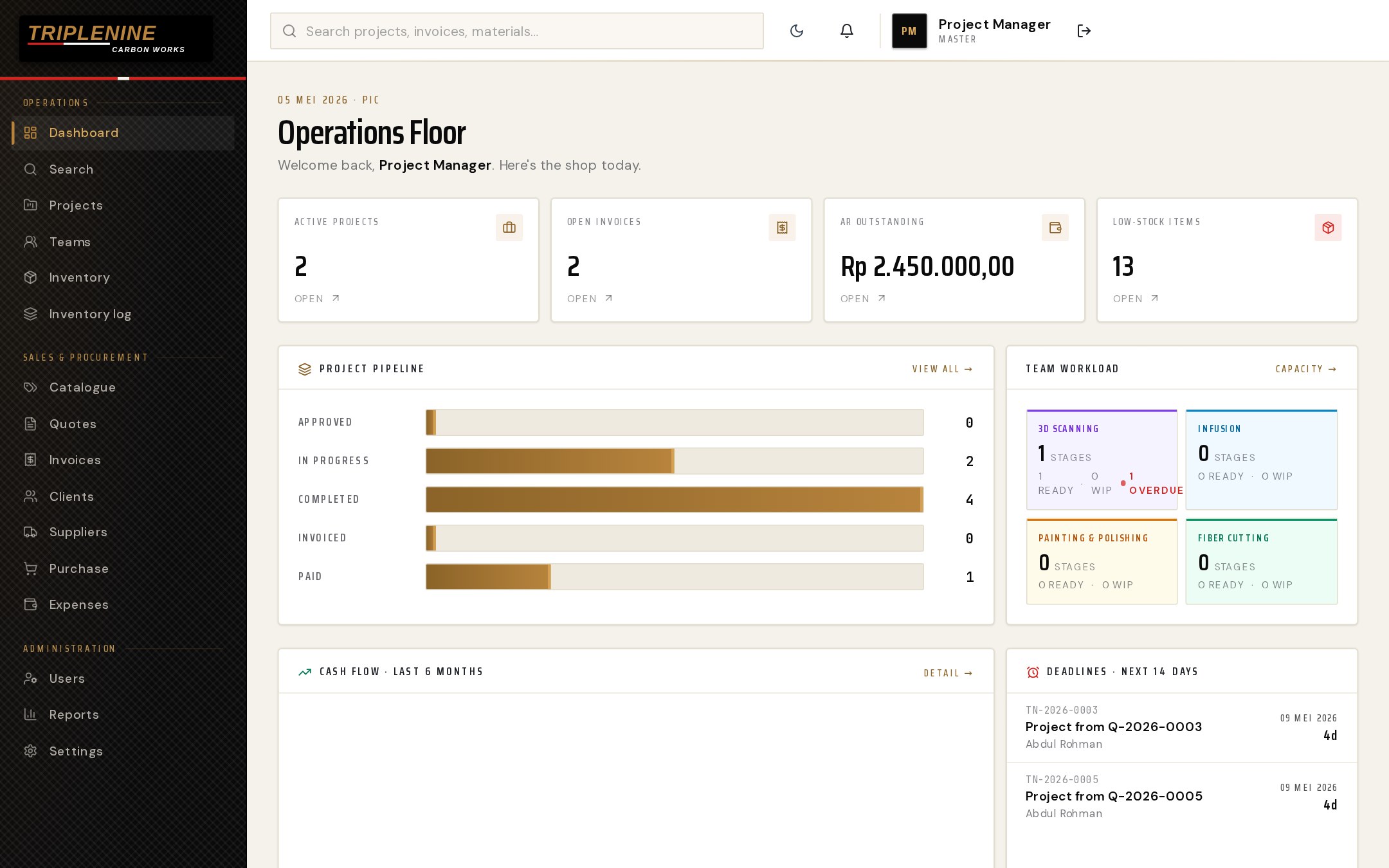
The shop, on one page.
Active projects, open invoices, AR outstanding, and low-stock items at the top. Below: project pipeline (Approved → In Progress → Completed → Invoiced → Paid), a per-team workload card, a six-month cash-flow chart, and the next 14 days of deadlines. The 3D Scanning lane carries an "1 Overdue" badge so it can't be missed.
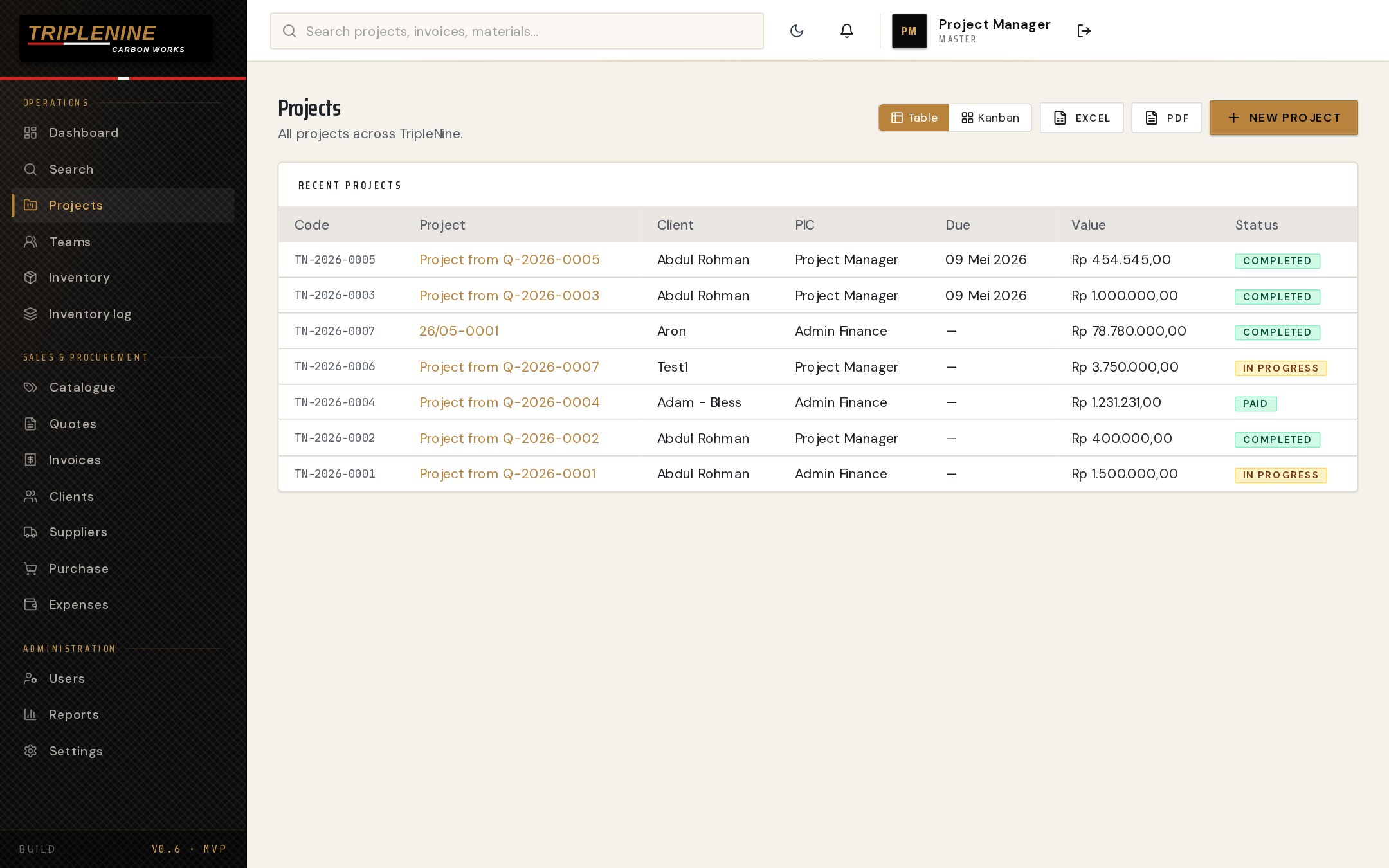
Every job, status known.
All projects across TripleNine in one table — TN-2026-0001 through 0007 — with code, project, client, PIC, due date, value, and status (In Progress / Completed / Paid). Toggle to a Kanban view, filter by stage, or export to Excel or PDF.
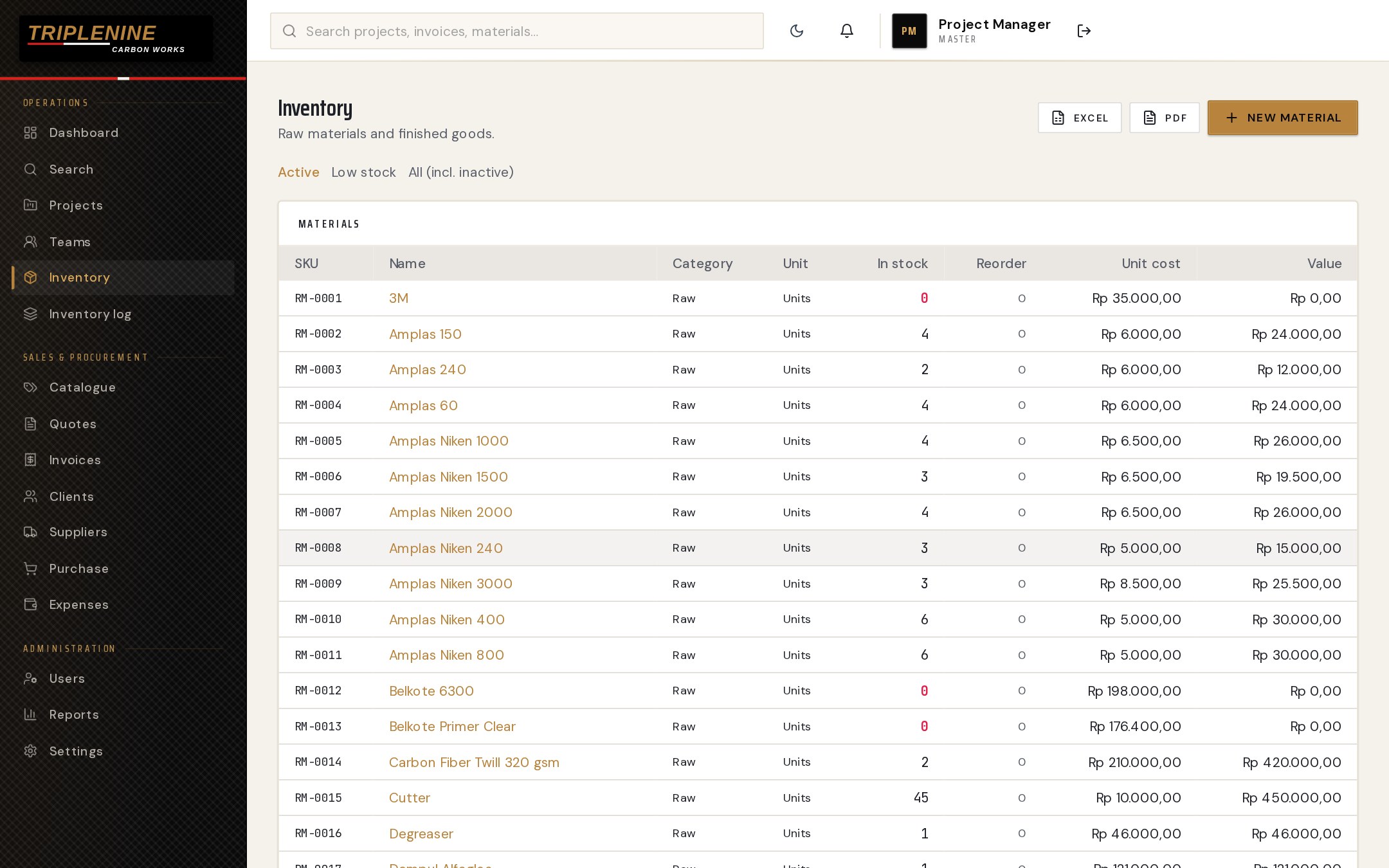
Materials, in real time.
Raw materials and finished goods in one searchable table — every SKU, category, unit, in-stock count, reorder point, unit cost, and total value. Out-of-stock counts surface in red. Active / Low-stock / All filters across the top.
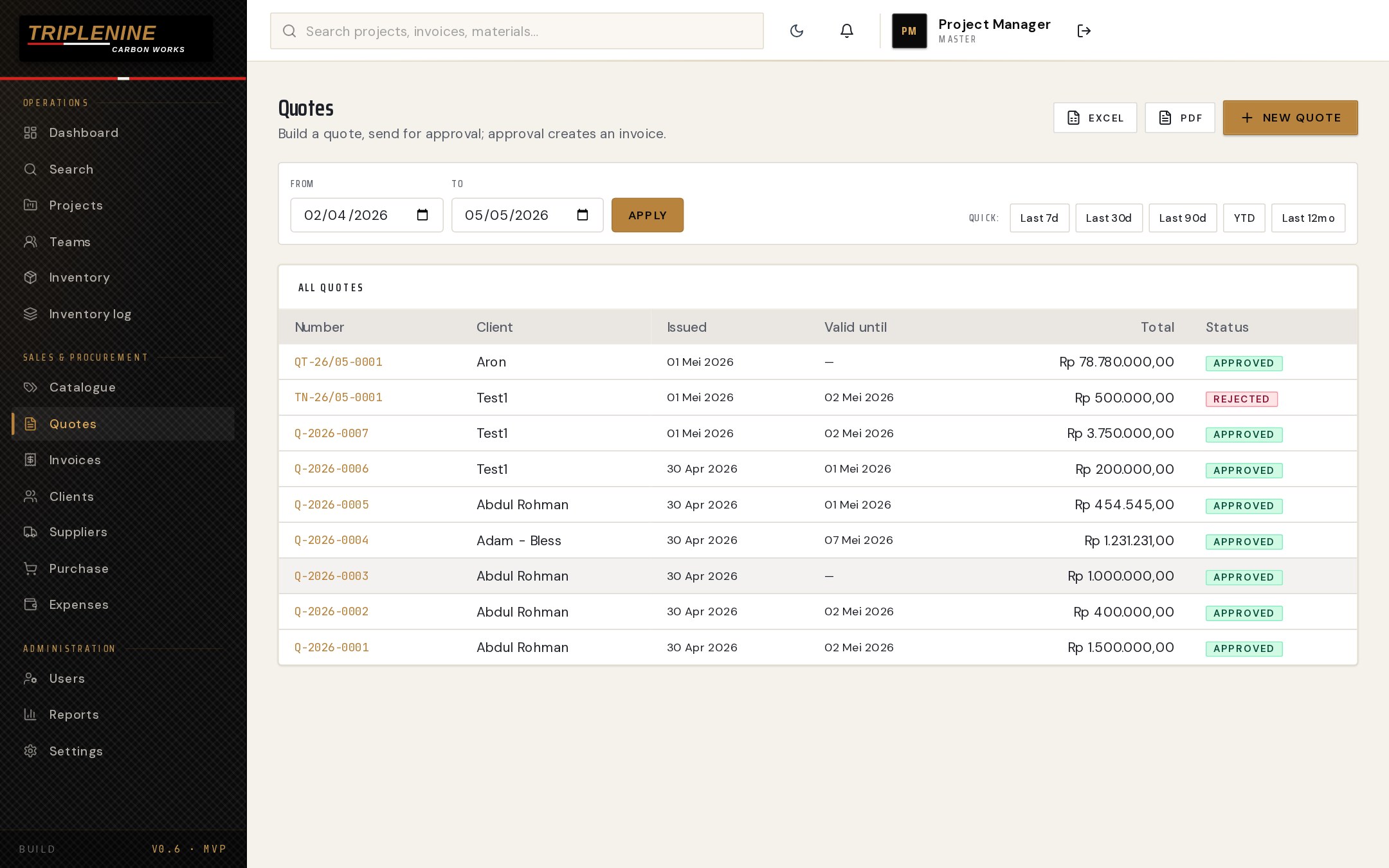
From quote to invoice — automatically.
Build a quote, send for approval; approval creates the invoice. Date-range filter with one-click presets (Last 7d / 30d / 90d / YTD / Last 12mo). Status badges flag Approved vs. Rejected at a glance.
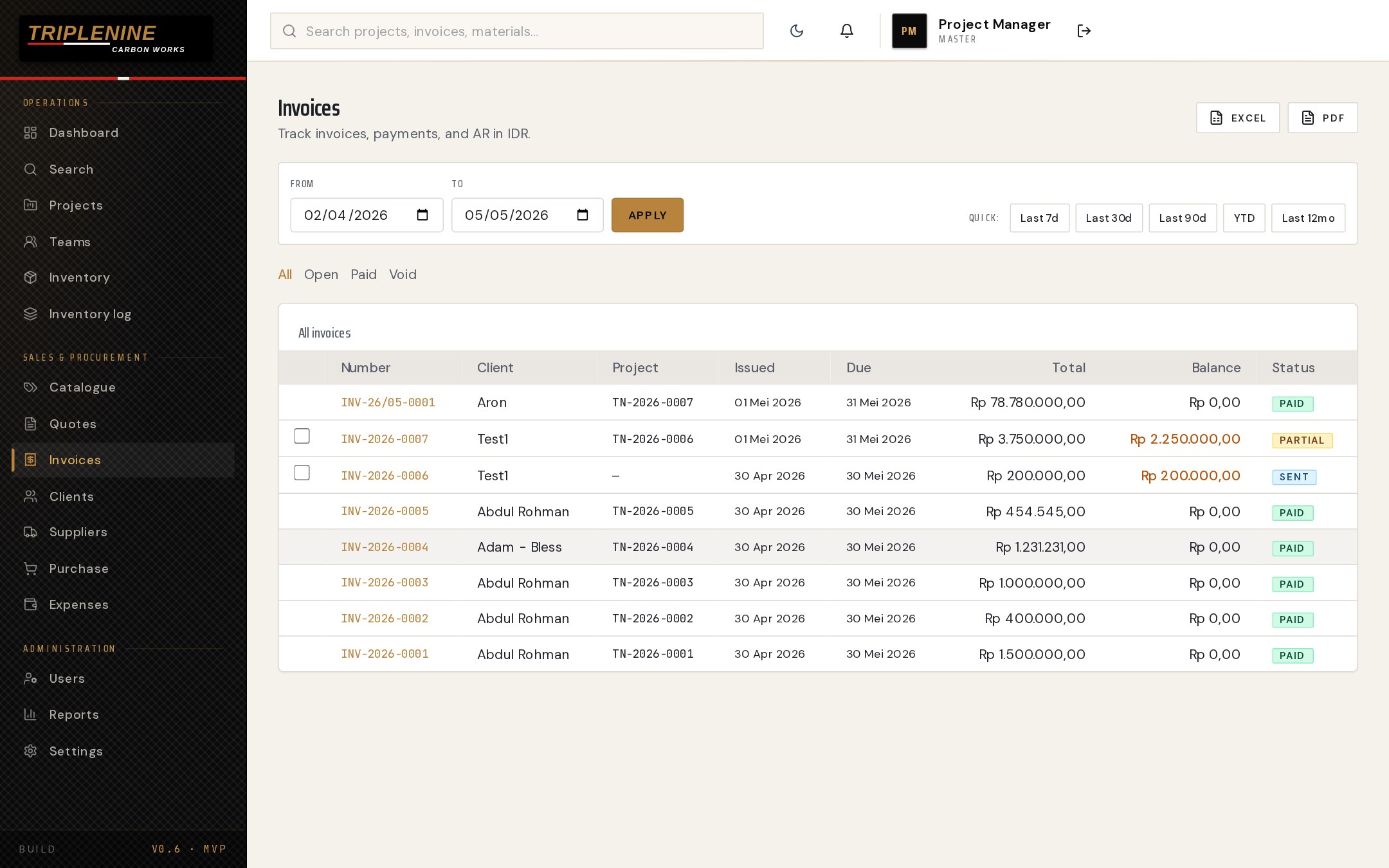
Track invoices, payments, and AR — in IDR.
Every invoice with project link, issued/due dates, total, balance, and status — All / Open / Paid / Void filters. Partial balances render in amber so the team's collections list writes itself.
What we built.
- 001 Role-based Auth Six purpose-built roles map to the actual shop-floor structure. Quick-access launchers for development, hard auth for production.
- 002 Operations Dashboard A single live view across projects, AR, inventory, team workload, cash flow, and deadlines.
- 003 Project Pipeline Five-stage pipeline (Approved → In Progress → Completed → Invoiced → Paid) with kanban + table toggles.
- 004 Quote-to-Cash Quotes feed approvals; approvals create invoices. AR balance and payment status surface automatically.
- 005 Inventory Control Real-time stock view with reorder thresholds, value calculations, and Active / Low-stock / All filters.
- 006 Reports & Exports PDF and Excel exports baked into projects, quotes, and invoices — finance handoff in two clicks.
Manufacturing on spreadsheets?
We swap them for a single operations tool that the whole shop can run on.